
Streamlining Operations with Microsoft Power Automate
11
Apr 2025
Streamlining Operations with Microsoft Power Automate
In the fast-paced business world, time is money. The more time employees spend on repetitive, mundane tasks, the less time they have for creative or high-level strategic activities. This is where Microsoft Power Automate (formerly known as Microsoft Flow) comes in—a tool that helps organizations automate their workflows, increase efficiency, and ultimately boost productivity.
What is Power Automate?
Power Automate is a cloud-based automation tool developed by Microsoft that allows users to automate business processes and workflows without writing a single line of code. Whether it’s automating simple tasks like data entry or complex multi-step workflows across different apps, Power Automate allows businesses to optimize their operations by automating repetitive tasks.
Power Automate offers three primary types of workflows:
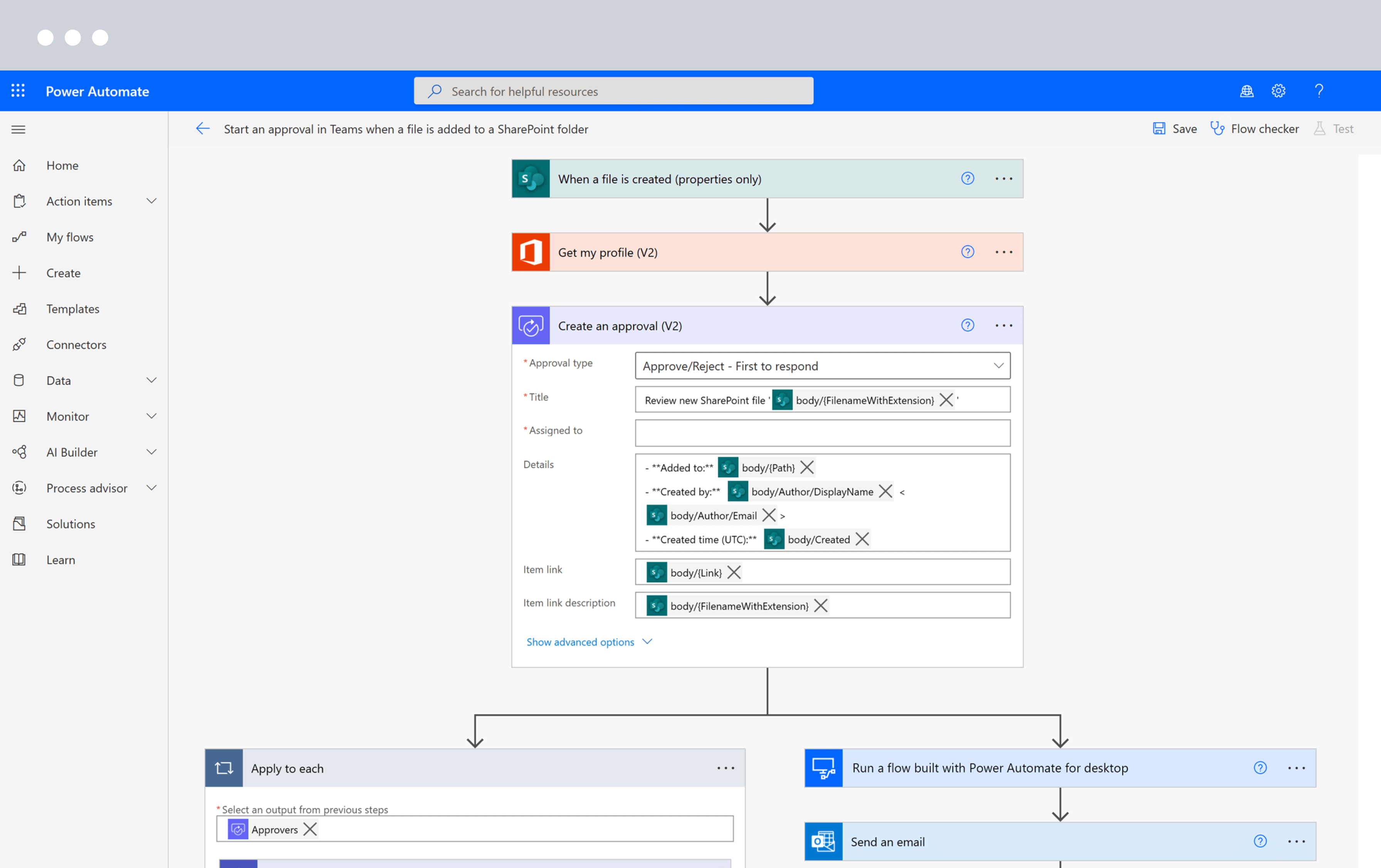
- Automated Flows: These are triggered automatically by certain actions, such as when a new email is received or a file is uploaded to SharePoint.
- Button Flows: These allow users to trigger specific tasks with a single click, ideal for actions like sending a report or updating a record.
- Scheduled Flows: These workflows run at specific intervals, such as sending daily reports or reminders every week.
These different flow types make it easy to automate any task, from simple notifications to complex business processes, enabling businesses to work smarter, not harder.
Key Features and Benefits of Power Automate:
1. Wide Integration with Apps and Services:
One of the strongest features of Power Automate is its ability to integrate with over 300 apps and services, both from Microsoft and third-party vendors. These integrations allow businesses to automate tasks across a wide array of platforms such as Office 365, SharePoint, Salesforce, Twitter, Google Drive, and many more.
Example: A marketing team could automate the process of posting social media updates, such as scheduling posts across Twitter and LinkedIn without manually logging into each platform.
2. No-Code Automation:
Power Automate’s user-friendly, drag-and-drop interface means that even employees with no coding experience can create automation workflows. The easy setup process empowers departments such as HR, marketing, and finance to automate their own tasks, reducing the burden on IT staff.
3. Streamlining Communication and Collaboration:
Power Automate improves team collaboration by automating communication processes. For example, a workflow could be created to automatically send an email alert or Slack notification whenever a new lead is added to a CRM system, ensuring timely follow-ups.
4. Time and Cost Savings:
By eliminating manual tasks, Power Automate reduces the risk of human error and saves time. The time that employees would have spent on repetitive tasks can now be redirected towards more valuable projects, improving overall productivity.
5. Customizable and Scalable:
Power Automate is incredibly flexible and can be customized to suit the needs of your business. Whether you need to automate a simple process or create a complex multi-step workflow, Power Automate adapts to your needs. Additionally, it can scale to accommodate your growing business as the complexity of your workflows increases.
How Power Automate Can Transform Your Business Operations:
1. Faster Decision-Making:
By automating the flow of information, businesses can receive real-time updates, enabling faster decision-making. For example, automatic data synchronization between systems means that reports are always up to date, giving decision-makers the latest insights.
2. Boost Employee Morale:
Repetitive tasks can be draining for employees, leading to disengagement and low morale. By automating these tasks, employees can focus on more engaging work, which increases job satisfaction and productivity.
3. Streamlined Compliance and Documentation:
For industries with strict compliance regulations, Power Automate ensures that workflows are consistent and that necessary documentation is automatically created. This helps businesses maintain compliance with minimal effort.
Conclusion:
Microsoft Power Automate is a powerful tool that transforms the way businesses operate. By automating repetitive tasks, streamlining workflows, and integrating multiple apps and services, it enables organizations to increase productivity, reduce human error, and drive operational efficiency. Whether you’re looking to improve customer service, streamline internal processes, or enhance team collaboration, Power Automate offers a simple yet powerful solution for businesses of all sizes.